Connect Suno to ChatGPT or Claude with MCP and make your first song
Suno MCP lets you send lyrics from a chat to your Suno account and turn them into a song. Choose your assistant below, or listen first to the same chorus with synths and with distorted guitar.
How to connect Suno to ChatGPT
- Open the official Suno plugin in ChatGPT. Sign in to ChatGPT if prompted.
- Select Install plugin. When Suno opens, sign in to the account that holds your music and approve the connection.
- Return to your chat, type
@Sunoand ask for your credit balance.

How to connect Suno to Claude
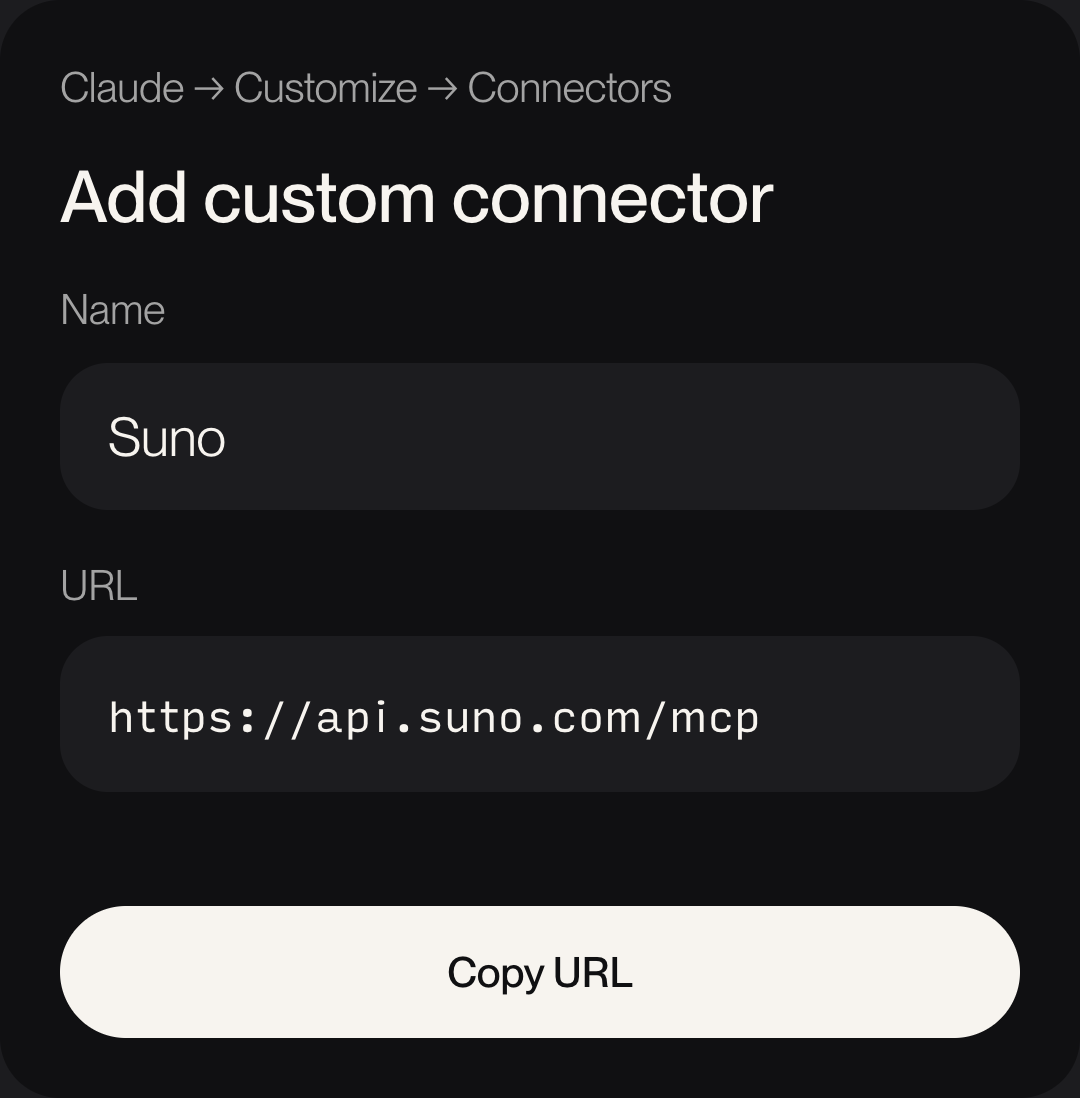
- In Claude, open Customize → Connectors. Select the plus button, then Add custom connector.
- Enter Suno in the Name field. Paste the official MCP server address in the URL field.
https://api.suno.com/mcp
- Select Connect, sign in to Suno and approve access. In a new chat, ask Claude to use Suno to look up your remaining credits.
Check the connection and your credits
Try this before asking for music.
Show my remaining Suno credits. Don’t create a song yet.
Once you see your balance, you can ask for music. MCP works on Suno Free as well as paid plans. Creating a song uses credits from your Suno plan. Ask for the balance again after your first generation to see what it cost your account. Suno’s credits FAQ
One chorus, two arrangements
We wrote four lines about the last train and sent them to Suno twice with different style descriptions. We picked one take from each pair. We trimmed the intros and matched the loudness. The vocal comes in about a second into each clip. Listen for what’s playing behind the voice on “Two blue cups”.
[Chorus]
The last train shakes the kitchen glass
Two blue cups slide an inch apart
I catch them both before they fall
And let the last train pass
Synth-pop 0:17
The prompt asks for a low male voice, a sequenced synth bass and metallic percussion.
Open this style in the generatorStyle prompt for chat
Dark synth-pop with industrial percussion and a brooding male baritone. Draw out the vowels with restrained vibrato and theatrical, melancholic phrasing. Add high tenor backing harmonies and large vocal reverb as the chorus expands. Sequenced analog bass and arpeggios lock to mechanical drums, metallic sampled strikes and a heavy gated snare. Choir pads and sweeping synth leads carry the darker melodic layers. Keep the arrangement stark enough for the clanking percussion to cut through. Blend early digital grit with warm tape saturation and a gothic romantic mood. 105-125 BPM.
Grunge 0:28
For the second take we asked for distorted guitar, acoustic drums and a raspy vocal.
Open this style in the generatorStyle prompt for chat
1990s grunge with extreme quiet-loud dynamics. A raspy male baritone slurs through low, apathetic verses, then breaks into ragged, anguished screams with audible voice cracks. Double-track the shouted hooks. Start quieter passages with watery chorus-treated guitar, then hit abrasive distorted power chords and dissonant bends. Heavy overdriven bass and roomy acoustic drums support hard snare flams and crashing cymbals. Keep the tape texture raw and slightly sludgy while preserving the melody. Let abrupt shifts in weight and volume drive the arrangement. 115-135 BPM.
Make your own version
In your chat, ask Suno to make a song using your lyrics and style. Paste the chorus and one of the prompts above. In SiliconSense, the button under each player opens that style directly. An empty lyrics field also gets the sample chorus. Replace it with your own words, connect Suno and select Create song when you’re ready.
Get new styles with audio examples
Leave your email if you’d like to hear about additions to the SiliconSense catalog. We’ll send a confirmation link.
Privacy policyIf something looks wrong
What if my assistant can’t find Suno?
Open the plugin in ChatGPT and check that your account is connected. In Claude, check the server URL and complete sign-in in the Suno window. Return to the chat and ask for the balance again.
I got a link. Where can I play the song?
Open the song link or visit the Library in the Suno account you connected. If the song hasn’t appeared, ask the chat to check the existing generation. Asking it to create the song again may start another generation and use more credits. Library FAQ
Once you have a take, you can refine the sound with our guide to Style and Lyrics.
Setup instructions checked November 28, 2026.