Suno download limits: how to see how many are left
Since September 3, 2026 Suno caps downloads: Pro — 20/month, Premier — 60, Free — 7 total. Suno now shows the remaining count — but only in the Download dialog, not always on screen. Below: how the limits work and a free counter that keeps the number always on screen, without opening the download dialog.
Other browser: Edge · Firefox · Opera · Safari
The new Suno download limits (from Sep 3, 2026)
| Plan | Download limit |
|---|---|
| Free | 7 total (lifetime) |
| Pro | 20 per month |
| Premier | 60 per month |
| Studio | unlimited |
Details that make counting tricky: the limit resets on your billing date (not the 1st of the month); one song in any format = one download (MP3 and WAV of the same track is 1, not 2); re-downloading a song you already saved is free. Unused downloads do not roll over to the next month.
Covering someone else's track: why the download is blocked
A separate case people keep hitting: you make a cover or remix of another user's Suno track. The generation goes through and credits are spent, but you cannot download the result — even on a paid plan, and even with downloads still left on your limit. This is not a bug, and it is not about your plan.
The reason is how rights work since September 2026: the commercial licence is now attached to the download itself on a paid plan. And Suno explicitly keeps remixes of other people's tracks out of the commercial path — the official Remix FAQ states that if you remix someone else's song, your version is not eligible for commercial use. The rights to that remix stay with the original author, and the track page carries an attribution link back to the source.
What this means in practice: the original author controls whether it is possible at all — the Allow Remixes toggle under «…» → Visibility & Permissions; if it is off, you cannot make the cover. But even with permission the remix stays personal and non-commercial: permission to remix does not hand you monetisation rights. So if you need a track you can download and use commercially, build from your own material — covering your own track carries no such restriction.
Suno added a counter — but only when you download
Suno recently added a remaining-count display, but you can only see it at the moment of downloading — when you click Download, inside the dialog. Just to check what's left you have to hit Download every time; there is no always-on counter on the page (or in settings/billing). Manual counting is also error-prone: MP3+WAV of one song and re-downloads count as one.
The fix: a free in-browser counter
We built a small in-browser counter that keeps the number always on screen — a badge right on the Suno page, so you don't have to open the Download dialog every time. It notices the moment a file is downloaded in your browser and counts unique tracks by Suno's rules: MP3 and WAV of one song count as 1, re-downloads are free, and playback does not count. Data stays only in your browser and is never sent anywhere.
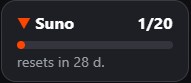
How to install and set it up
1. Install Tampermonkey for Chrome — the userscript extension, once. 2. Click the install button below — Tampermonkey will offer to install, confirm. 3. Open suno.com — a "Suno · 0/20" badge appears bottom-right. Click it and set your plan and billing day (the date your limit renews). You can drag the badge anywhere.
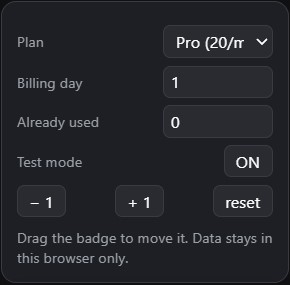
In recent Chrome and Edge versions userscripts don't run until you flip a dedicated switch. Turn it on like this:
- open
chrome://extensions - Tampermonkey → Details
- enable Allow user scripts — or Developer mode if that switch is absent
- reload the suno.com
How it counts correctly
The counter keys on the track ID Suno returns on export, not on the one-off file link. So if you grab the MP3 then the WAV of the same song, it shows "already counted" and does not add a second time. A new song is +1. On your billing date it resets. If anything goes off, there are manual "−1 / +1" buttons.